Stop Writing Walls of Text.
Structure your learning with the classic split-page method. Separate your cues, notes, and summaries to turn passive typing into active learning.
Introduction to Quantum Mechanics
Lecture 3 - October 15, 2024
Space for questions and keywords.
What is superposition?
Wave function?
Observer effect?
Space for detailed capture and definitions.
Superposition - particles exist in multiple states simultaneously until measured
Wave function Ψ describes probability distribution of particle properties
Measurement collapses wave function to single state
Key: Schrödinger's equation describes time evolution
Space for synthesis.
Quantum mechanics describes particles as wave functions in superposition until observation. The observer effect and Schrödinger's equation are fundamental to understanding quantum behavior.
Logic, Not Just Lists
Inspired by the proven Cornell University system, Notari forces you to synthesize information rather than just transcribing it.
"The split-page method is more than a note-taking system—it's a framework for active learning and long-term retention."
— Adapted from Walter Pauk's Principles
Active Recall Built-In
Don't just read your notes—interact with them. The dedicated "Cue" column allows you to test yourself immediately after class or a meeting, strengthening neural pathways for up to 30% better retention.
Structure That Scales
Standard text editors encourage messy "brain dumps." Notari's rigid three-part framework (Cues, Notes, Summary) reduces cognitive load, keeping your focus on capturing the signal, not the noise.
Review Ready
Cover the content column and use your cues to recite the answers. Notari turns your daily notes into flashcards automatically, making spaced repetition effortless.
A Modern Tool for a Classic Method
We kept the layout you need and added the developer-friendly features you missed.
The Layout is Automatic
Stop fiddling with tables in Word or Notion. Notari provides the three-section layout instantly
- Dedicated Cue column (Questions)
- Spacious Note area (Capture)
- Auto-expanding Summary footer (Synthesis)
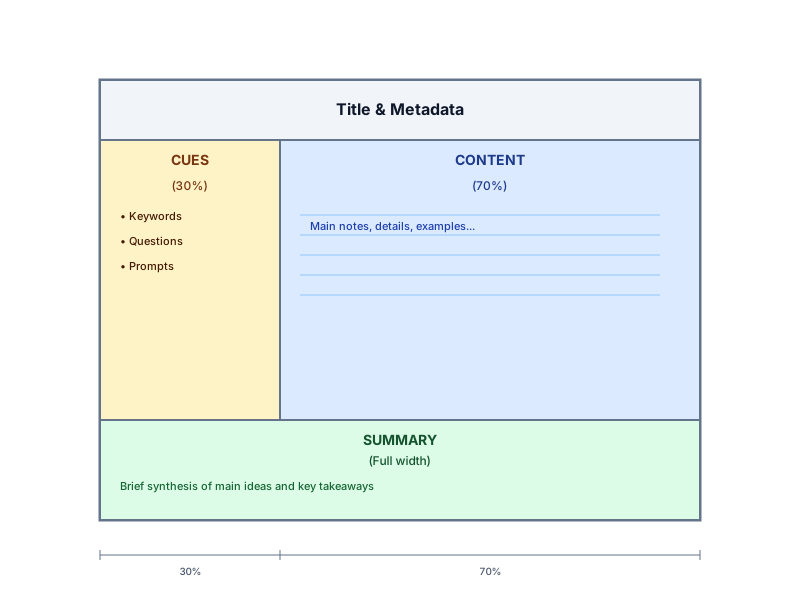
Cornell note structure diagram
Native Markdown
Write with the syntax your fingers already know. No clunky rich-text menus—just pure typing flow
- WYSIWYG Markdown rendering
- Code blocks with syntax highlighting
- Inline formatting and fast headers
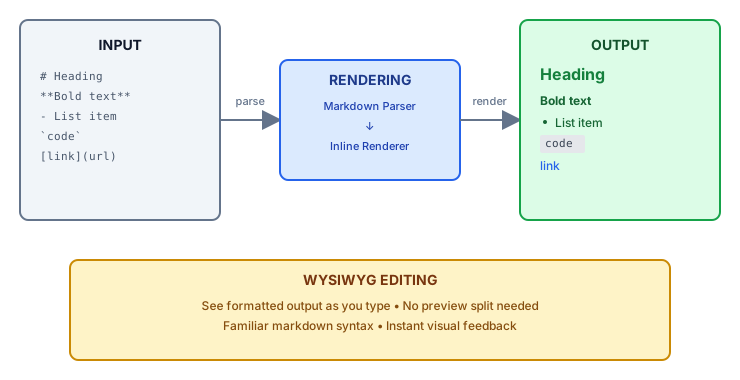
Markdown editing workflow
No Vendor Lock-In
Your thoughts belong to you. Notari treats your data as portable text files, not a proprietary database
- Export individual notes as .md
- Bulk export with YAML frontmatter
- Fully compatible with Obsidian and VS Code
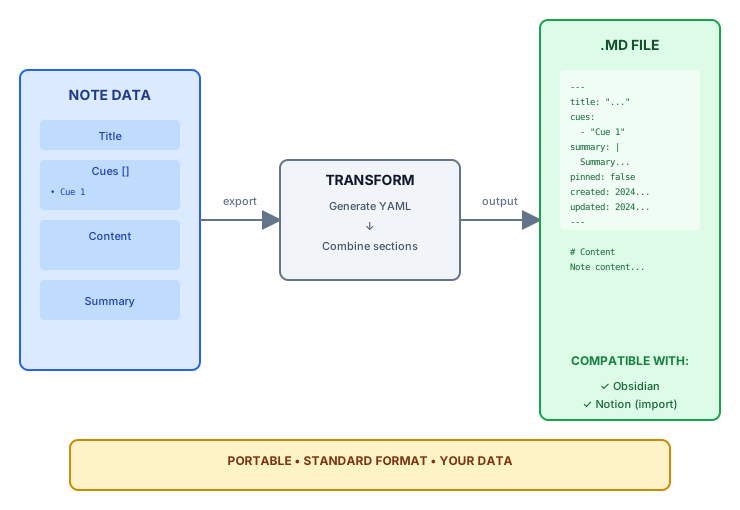
Export architecture diagram
Deep Search
Find concepts, not just keywords. Pin your most critical study guides for instant access
- Full-text search across Notes, and Summaries
- Filter by title
- Pinboard for active projects
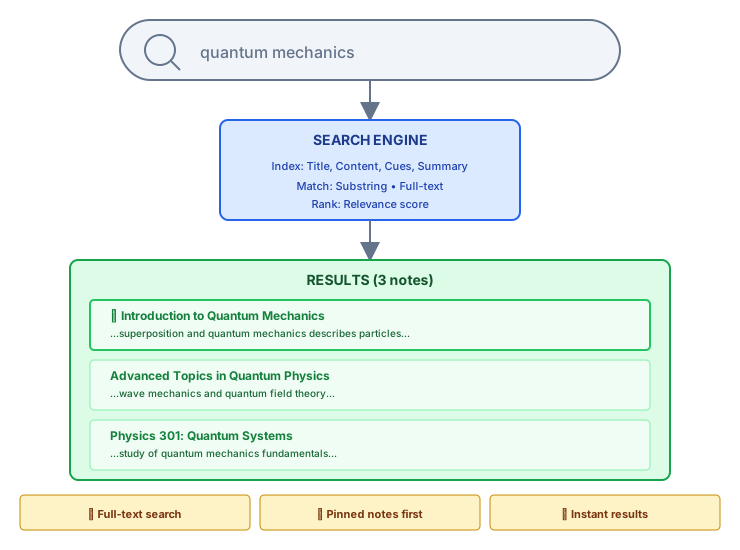
Search mechanism visualization
I Use Notari.
Join students and professionals who have stopped transcribing and started thinking. The best way to learn the method is to use it.